"Free resume builder" is one of the most common searches anyone starts a job hunt with, and for good reason — there's no reason to pay for software before you know whether it's any good, and plenty of people genuinely only need to make one resume and move on. But "free" means very different things depending on the tool, and it's worth knowing exactly what you're getting before you build your whole application around one, especially the night before a deadline.
What a free resume builder should actually give you
At minimum, a free resume builder worth using should let you build a complete, properly structured resume — every standard section, your own content, no placeholder text left behind — and export it as an actual PDF you can attach to an application. If a tool makes you build the whole thing and then blocks the download behind a paywall, that's not really a free tier, that's a preview. A reasonable free tier also shouldn't wreck your formatting to make a point: a resume that's technically downloadable but covered in a diagonal watermark, or exported at low resolution, isn't something you can actually send to an employer.
Beyond that baseline, what matters is whether the free output is something an applicant tracking system can actually read — see our explainer on how ATS software works if you haven't already. A free template that looks sharp on screen but uses multi-column layouts, text boxes, or graphics that scramble on parsing isn't doing you any favors, free or not.
Where free tiers typically draw the line
Worth saying: you don't strictly need a builder at all. A plain document from Word saved as a PDF, or a free sample from a university career office, parses perfectly well. A builder buys you speed, consistent formatting and re-use — not permission to apply.
Nobody offers a free tier that competes with their own paid plan, so the limits are the actual product decision to pay attention to. The common ones:
- A small number of templates. Free plans usually unlock one or two designs rather than the full library, often the plainer, more ATS-safe ones rather than the more visually distinctive layouts.
- A cap on downloads. Either a monthly limit or, more often, a lifetime limit on how many PDFs you can generate before the free tier considers you "done." This one catches people off guard the most, because it's easy to burn through a handful of downloads just iterating on your own resume before you've even started applying.
- No AI assistance. Rewriting a bullet point, tightening a summary, or tailoring a resume to a specific job description is usually a paid-only feature, since it's the most compute-expensive part of the product to run.
- Cover letters locked out entirely. A lot of tools treat the resume as the free hook and put cover letter generation — arguably the more tedious thing to write from scratch — behind the paywall.
Free and paid, side by side
Across the main builders the split looks roughly like this. The details differ, the shape rarely does.
| Typical free tier | Typical paid plan | |
|---|---|---|
| Templates | 1–3 designs, usually the plainer ones | The full library |
| PDF downloads | Capped, sometimes for the lifetime of the account | Unlimited |
| Watermark | Common on free exports | None |
| AI rewriting | Rarely included | Included |
| Tailoring to a job post | No | Yes |
| Cover letters | Usually locked | Included |
| Best for | One or two applications, your own writing | An active search across many roles |
When the free tier is genuinely enough
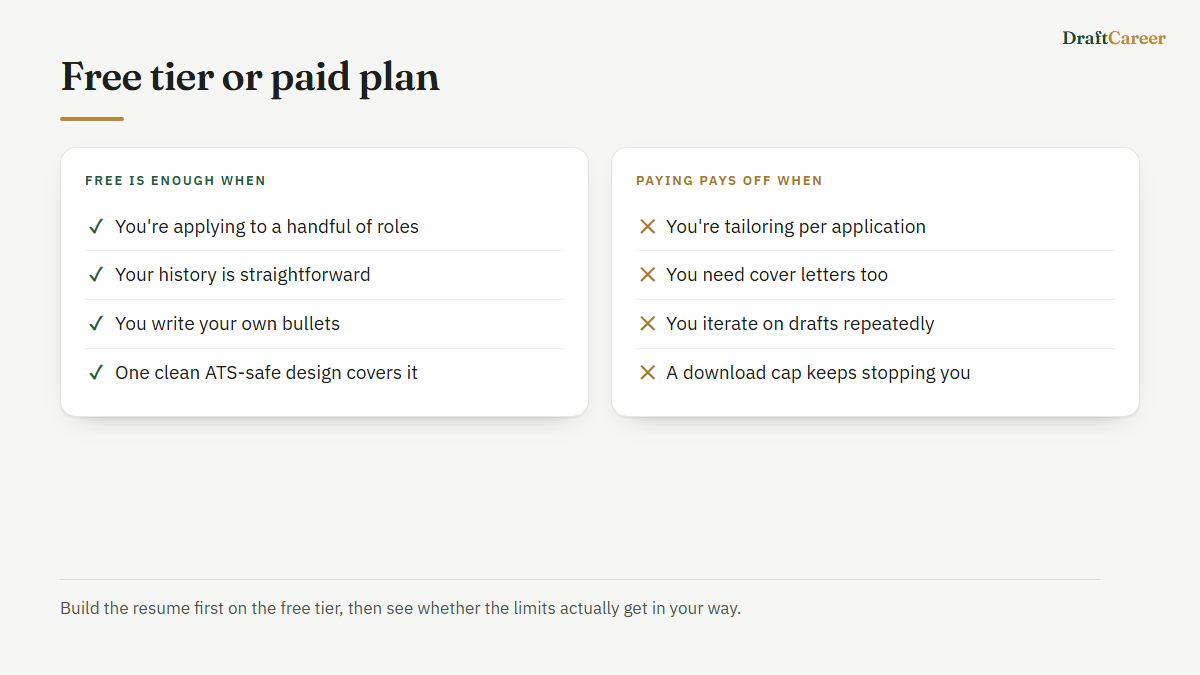
If you're applying to a handful of roles, your work history isn't complicated, and you're comfortable writing your own bullet points, a free tier can take you the entire way. There's no reason to pay for AI rewriting if you're already a confident writer, and there's no reason to pay for a large template library if one clean, ATS-safe design covers what you need. A lot of job seekers — especially first-time applicants and students — genuinely fit this case.
When paying starts to make sense
The calculation changes once you're doing any of the following: applying to more roles than the free plan’s one PDF download covers, since that allowance is a lifetime one; wanting to tailor a resume's emphasis to each specific job description rather than sending one generic version everywhere; needing a cover letter alongside the resume for roles that ask for one; or wanting a visual template that doesn't happen to be one of the one or two free ones. None of these are exotic needs — they're just what a real job search with more than a couple of applications tends to require. At that point, weigh the subscription cost against what a single missed interview costs you in time, and it's usually not a close call.
How DraftCareer's free tier is set up
To be concrete rather than abstract about this: on DraftCareer, the free plan gives you three full resume templates and one PDF download, for as long as your account exists — that is a lifetime allowance, not a monthly one, which is worth knowing going in so you're not surprised mid-search. Re-downloading that same file never costs anything. There is no watermark on any of them. It's enough to build a complete, ATS-safe resume and actually apply with it.
Paid unlocks all 48+ templates, AI-assisted rewriting and tailoring, unlimited downloads, cover letters and job search. You can take it either as a subscription — cheapest on the annual plan, cancel any time — or as a one-off pass — 10 days or 60: one charge, no renewal, which suits a job hunt with an end date rather than an open-ended commitment. No credit card is needed to start free, so the honest way to decide is to build your resume first and see whether the limits actually bother you.
If you're starting from nothing, the resume builder walks you through building a profile once and generating a resume from it — free tier included, no strings attached to try it.